 5b7edd2717
# Implement Database Sharding for Email Storage

This PR implements database sharding to improve scalability and performance for email storage. The system now distributes email data across multiple shards instead of storing all data in a single database instance.

## Type of Change

- ✨ New feature (non-breaking change which adds functionality)
- ⚡ Performance improvement

## Areas Affected

- [x] Email Integration (Gmail, IMAP, etc.)
- [x] Data Storage/Management
- [x] API Endpoints

## Description

This PR introduces a sharding mechanism for email storage to handle large volumes of data more efficiently:

1. Created a new `ShardRegistry` Durable Object to track and manage shards for each connection
2. Implemented logic to distribute threads across multiple shards based on size limits (9GB per shard)
3. Modified thread operations to work across shards, including:
   - Thread retrieval with shard fallback
   - Aggregation of results from multiple shards
   - Sequential processing for paginated results
4. Moved notification handling from a separate component to the AI sidebar
5. Added shard count display in the user interface
6. Refactored server utilities to support the new sharding architecture
7. Updated API endpoints to work with the sharded database structure

The implementation ensures that as email volume grows, the system can scale horizontally by adding new shards rather than being limited by a single database's capacity.

## Testing Done

- [x] Manual testing performed
- [x] Cross-browser testing (if UI changes)

## Checklist

- [x] I have performed a self-review of my code
- [x] My changes generate no new warnings
- [x] All tests pass locally

## Additional Notes

This change significantly improves the system's ability to handle large email volumes by distributing data across multiple database shards. The UI now displays the number of shards in use, providing transparency about the underlying storage architecture.

<!-- This is an auto-generated comment: release notes by coderabbit.ai -->
## Summary by CodeRabbit

* **New Features**
  * Introduced sharding support for improved scalability and performance.
  * Added display of shard count in the user interface.
  * Enhanced sidebar to handle real-time updates for mail, labels, and state.

* **Bug Fixes**
  * Improved cache invalidation and data refresh for more accurate mail and label updates.

* **Refactor**
  * Centralized thread and label operations for better maintainability.
  * Simplified and streamlined backend logic for thread and label management.

* **Chores**
  * Updated configuration to support new sharding infrastructure.
  * Removed unused notification provider component and related logic.

* **Documentation**
  * UI now reflects the number of database shards in relevant menus.
<!-- end of auto-generated comment: release notes by coderabbit.ai -->

Zero
An Open-Source Gmail Alternative for the Future of Email
What is Zero?
Zero is an open-source AI email solution that gives users the power to self-host their own email app while also integrating external services like Gmail and other email providers. Our goal is to modernize and improve emails through AI agents to truly modernize emails.
Why Zero?
Most email services today are either closed-source, data-hungry, or too complex to self-host. 0.email is different:
- ✅ Open-Source – No hidden agendas, fully transparent.
- 🦾 AI Driven - Enhance your emails with Agents & LLMs.
- 🔒 Data Privacy First – Your emails, your data. Zero does not track, collect, or sell your data in any way. Please note: while we integrate with external services, the data passed through them is not under our control and falls under their respective privacy policies and terms of service.
- ⚙️ Self-Hosting Freedom – Run your own email app with ease.
- 📬 Unified Inbox – Connect multiple email providers like Gmail, Outlook, and more.
- 🎨 Customizable UI & Features – Tailor your email experience the way you want it.
- 🚀 Developer-Friendly – Built with extensibility and integrations in mind.
Tech Stack
Zero is built with modern and reliable technologies:
- Frontend: Next.js, React, TypeScript, TailwindCSS, Shadcn UI
- Backend: Node.js, Drizzle ORM
- Database: PostgreSQL
- Authentication: Better Auth, Google OAuth
Getting Started
Video Tutorial
Watch this helpful video tutorial on how to set up Zero locally:
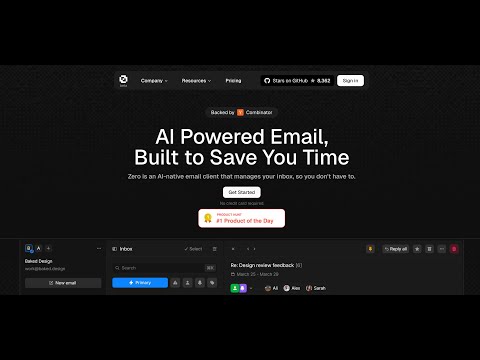
Prerequisites
Required Versions:
Before running the application, you'll need to set up services and configure environment variables. For more details on environment variables, see the Environment Variables section.
Setup Options
You can set up Zero in two ways:
Standard Setup (Recommended)
Quick Start Guide
-
Clone and Install
# Clone the repository git clone https://github.com/Mail-0/Zero.git cd Zero # Install dependencies pnpm install # Start database locally pnpm docker:db:up -
Set Up Environment
- Run
pnpm nizzy envto setup your environment variables - Run
pnpm nizzy syncto sync your environment variables and types - Start the database with the provided docker compose setup:
pnpm docker:db:up - Initialize the database:
pnpm db:push
- Run
-
Start the App
pnpm dev -
Open in Browser
Visit http://localhost:3000
Devcontainer Setup
Quick Start guide
-
Clone and Install
# Clone the repository
git clone https://github.com/Mail-0/Zero.git
cd Zero
Then open the code in devcontainer and install the dependencies:
pnpm install # Start the database locally pnpm docker:db:up -
Set Up Environment
- Run
pnpm nizzy envto setup your environment variables - Run
pnpm nizzy syncto sync your environment variables and types - Start the database with the provided docker compose setup:
pnpm docker:db:up - Initialize the database:
pnpm db:push
- Run
-
Start The App
pnpm devVisit http://localhost:3000
Environment Setup
-
Better Auth Setup
-
Open the
.envfile and change the BETTER_AUTH_SECRET to a random string. (Useopenssl rand -hex 32to generate a 32 character string)BETTER_AUTH_SECRET=your_secret_key
-
-
Google OAuth Setup (Required for Gmail integration)
-
Go to Google Cloud Console
-
Create a new project
-
Add the following APIs in your Google Cloud Project: People API, Gmail API
- Use the links above and click 'Enable' or
- Go to 'APIs and Services' > 'Enable APIs and Services' > Search for 'Google People API' and click 'Enable'
- Go to 'APIs and Services' > 'Enable APIs and Services' > Search for 'Gmail API' and click 'Enable'
-
Enable the Google OAuth2 API
-
Create OAuth 2.0 credentials (Web application type)
-
Add authorized redirect URIs:
- Development:
http://localhost:8787/api/auth/callback/google
- Production:
https://your-production-url/api/auth/callback/google
- Development:
-
Add to
.env:GOOGLE_CLIENT_ID=your_client_id GOOGLE_CLIENT_SECRET=your_client_secret -
Add yourself as a test user:
- Go to
Audience - Under 'Test users' click 'Add Users'
- Add your email and click 'Save'
- Go to
-
Warning
The authorized redirect URIs in Google Cloud Console must match exactly what you configure in the
.env, including the protocol (http/https), domain, and path - these are provided above.
-
Autumn Setup (Required for some encryption)
-
Go to Autumn
-
For Local Use, click onboarding button and generate an Autumn Secret Key
-
For production, select the production mode from upper left corner and generate and fill the other fields. After that, generate an Autumn Secret Key
-
Add to
.env:
AUTUMN_SECRET_KEY=your_autumn_secret -
-
Twilio Setup (Required for SMS Integration)
-
Go to the Twilio
-
Create a Twilio account if you don’t already have one
-
From the dashboard, locate your:
- Account SID
- Auth Token
- Phone Number
-
Add to your
.envfile:
TWILIO_ACCOUNT_SID=your_account_sid TWILIO_AUTH_TOKEN=your_auth_token TWILIO_PHONE_NUMBER=your_twilio_phone_number -
Environment Variables
Run pnpm nizzy env to setup your environment variables. It will copy the .env.example file to .env and fill in the variables for you.
For local development a connection string example is provided in the .env.example file located in the same folder as the database.
Database Setup
Zero uses PostgreSQL for storing data. Here's how to set it up:
-
Start the Database
Run this command to start a local PostgreSQL instance:
pnpm docker:db:upThis creates a database with:
- Name:
zerodotemail - Username:
postgres - Password:
postgres - Port:
5432
- Name:
-
Set Up Database Connection
Make sure your database connection string is in
.envfile. And you have ranpnpm nizzy syncto sync the latest env.For local development use:
DATABASE_URL="postgresql://postgres:postgres@localhost:5432/zerodotemail" -
Database Commands
-
Set up database tables:
pnpm db:push -
Create migration files (after schema changes):
pnpm db:generate -
Apply migrations:
pnpm db:migrate -
View database content:
pnpm db:studioIf you run
pnpm devin your terminal, the studio command should be automatically running with the app.
-
Sync
Background: https://x.com/cmdhaus/status/1940886269950902362
We're now storing the user's emails in their Durable Object & an R2 bucket. This allow us to speed things up, a lot.
This also introduces 3 environment variables, DROP_AGENT_TABLES,THREAD_SYNC_MAX_COUNT, THREAD_SYNC_LOOP.
DROP_AGENT_TABLES: should the durable object drop the threads table before starting a sync
THREAD_SYNC_MAX_COUNT: how many threads should we sync? max 500 because it's using the same number for the maxResults number from the driver. i.e 500 results per page.
THREAD_SYNC_LOOP: should make sure to sync all of the items inside a folder? i.e if THREAD_SYNC_MAX_COUNT=500 it will sync 500 threads per request until the folder is fully synced. (should be true in production)
Contribute
Please refer to the contributing guide.
If you'd like to help with translating Zero to other languages, check out our translation guide.
Star History
This project wouldn't be possible without these awesome companies


🤍 The team
Curious who makes Zero? Here are our contributors and maintainers